 Skip to content
Understanding Chromecast IPTV M3U: The Future of Streaming
What is Chromecast IPTV M3U?
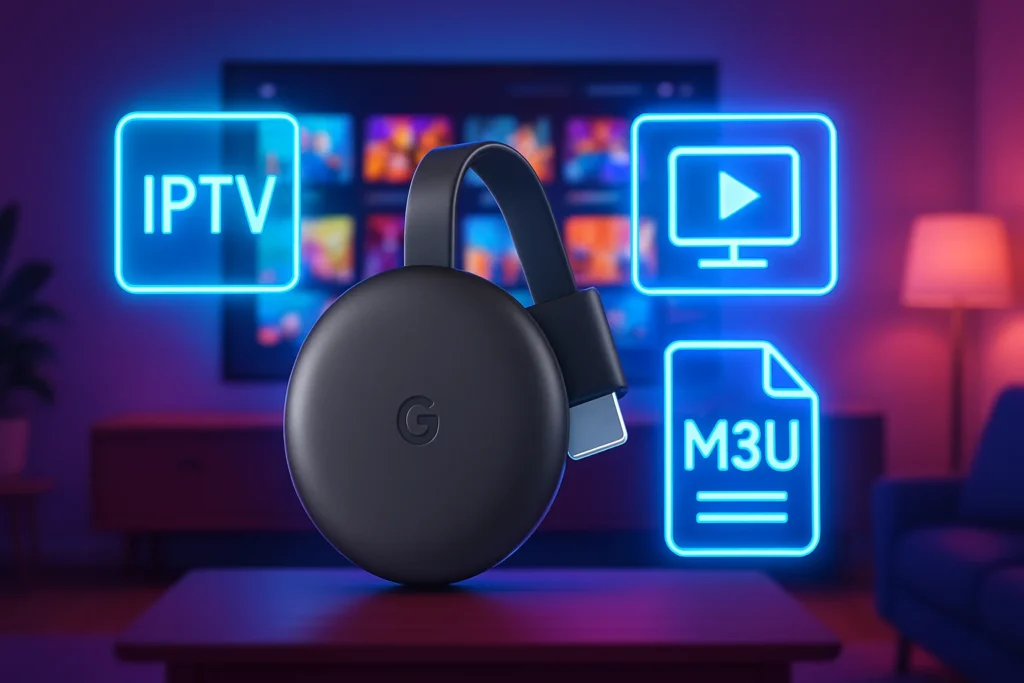
Chromecast IPTV M3U refers to the integration of IPTV (Internet Protocol Television) services with Chromecast devices using M3U playlists. An M3U playlist is a text file that contains a list of multimedia files, including live TV channels, that can be streamed over the internet. This format is widely used for streaming services, allowing users to access a variety of channels and content seamlessly.

When you cast IPTV M3U to your Chromecast, you can enjoy a wide range of channels directly on your TV. This method is particularly appealing because it combines the flexibility of IPTV with the convenience of Chromecast, enabling users to stream content from their devices to their televisions effortlessly. The M3U format supports various codecs and resolutions, making it adaptable to different internet speeds and device capabilities.
Benefits of Using M3U Playlists with Chromecast
Using M3U playlists with Chromecast offers several advantages that enhance the streaming experience:
- Wide Channel Selection: M3U playlists can include hundreds of channels, providing access to international content, sports, movies, and more. This variety allows users to customize their viewing experience according to their preferences.
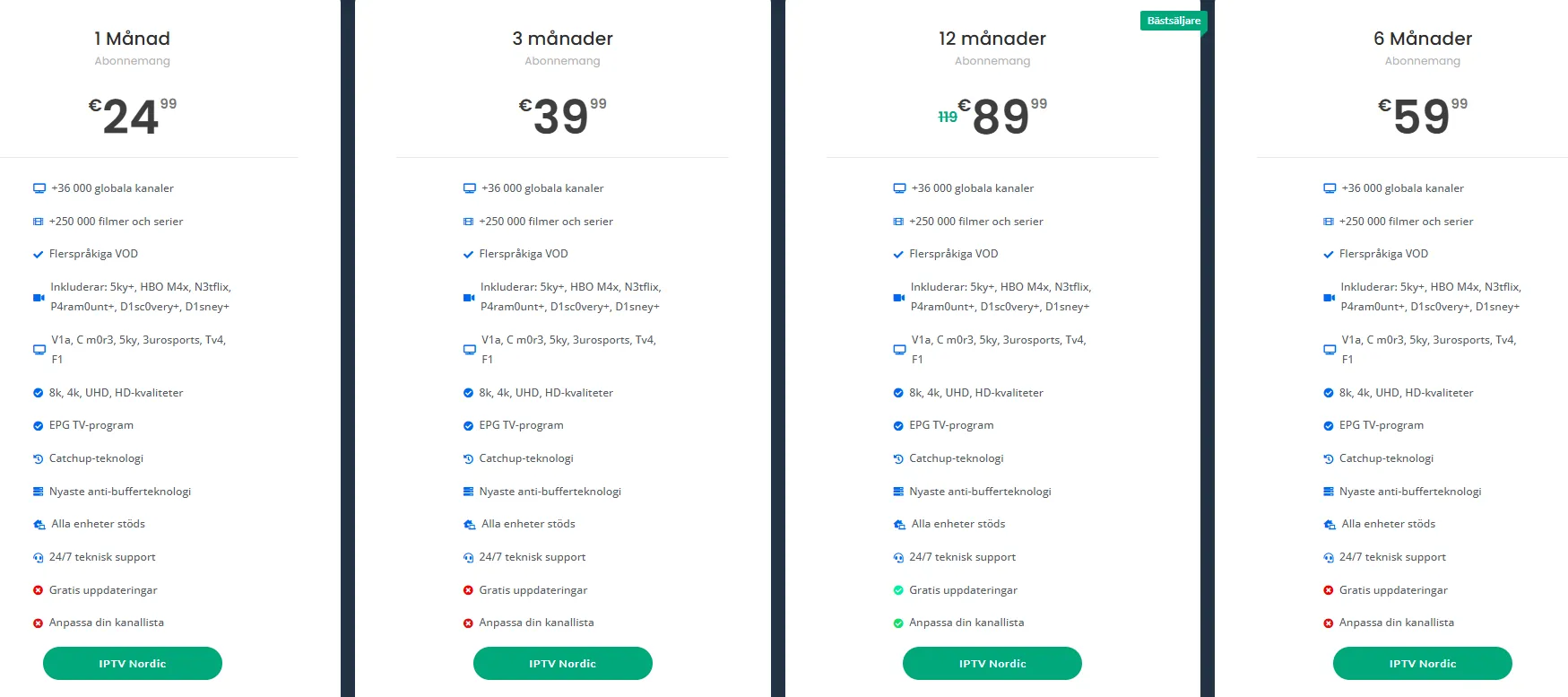
- Cost-Effective: Many IPTV services offer affordable subscription plans compared to traditional cable TV. By utilizing M3U playlists, users can save money while enjoying high-quality content. For more information on plans, check out Smart IPTV Nordic’s plans.
- User-Friendly Interface: Chromecast allows for easy navigation and control of your IPTV content. You can use your smartphone or tablet to manage your playlists, making it simple to switch between channels or find new content to watch.
- High-Quality Streaming: With the right internet connection, streaming IPTV through Chromecast can deliver high-definition content. This ensures a superior viewing experience, especially for sports and movies.
- Compatibility: M3U playlists are compatible with various IPTV applications available on smartphones, tablets, and smart TVs. This flexibility means you can enjoy your favorite shows on multiple devices.
- Easy Setup: Setting up IPTV on Chromecast is straightforward. Users can follow simple installation guides available on platforms like Smart IPTV Nordic to get started quickly.
In summary, streaming IPTV with Chromecast using M3U playlists is a modern solution for those looking to enhance their television experience. With a plethora of channels, cost savings, and user-friendly features, it represents the future of streaming. For a comprehensive list of available channels, visit Smart IPTV Nordic’s channel list.
By embracing this technology, users can enjoy a more personalized and flexible viewing experience, making it an attractive option for anyone looking to cut the cord on traditional cable services.
How to Cast IPTV M3U to Your Chromecast
Casting IPTV M3U to your Chromecast can transform your viewing experience, allowing you to enjoy a wide range of channels directly on your TV. With the right setup, you can stream IPTV on Chromecast effortlessly. Below, we provide a comprehensive step-by-step guide to help you cast IPTV M3U, along with troubleshooting tips for common issues you might encounter.
Step-by-Step Guide to Stream IPTV on Chromecast
- Prepare Your IPTV M3U Playlist:
- First, ensure you have your IPTV M3U playlist ready. This file contains the links to the channels you want to watch. You can obtain a playlist from various IPTV providers, such as Smart IPTV Nordic.
- Install a Compatible App:
- Download a compatible app that supports M3U playlists. Popular options include VLC Media Player, Perfect Player, or IPTV Smarters. These apps are available on both Android and iOS devices.
- Load Your M3U Playlist:
- Open the app and navigate to the settings or playlist section. Here, you can add your M3U URL or upload the file directly. For example, in VLC, you can go to Media > Open Network Stream and paste your M3U link.
- Connect Your Device to Chromecast:
- Ensure your mobile device or computer is connected to the same Wi-Fi network as your Chromecast. This is crucial for successful casting.
- Cast to Chromecast:
- In the app, look for the cast icon (usually represented by a rectangle with a Wi-Fi symbol). Tap it and select your Chromecast device from the list. Your IPTV channels should now start streaming on your TV.
- Enjoy Your Content:
- Once connected, you can browse through your channels and enjoy your favorite shows. You can also control playback directly from your device.
Troubleshooting Common Issues When Casting IPTV
While casting IPTV M3U to your Chromecast is generally straightforward, you may encounter some issues. Here are common problems and their solutions:
- Connection Issues:
- Ensure both your Chromecast and the device you are casting from are on the same Wi-Fi network. If you experience lag or buffering, try restarting your router.
- M3U Playlist Not Loading:
- Double-check the M3U URL for any errors. Ensure that the playlist is active and not expired. You can verify this by testing the URL in a web browser.
- App Compatibility:
- Not all apps support casting. If you’re having trouble, try using a different app like VLC or Perfect Player. These apps are known for their robust support for IPTV streaming.
- Audio/Video Sync Issues:
- If you notice that the audio and video are out of sync, try restarting the app or your Chromecast. Sometimes, adjusting the video quality settings can also help.
- Limited Channel Availability:
- If certain channels are not available, it may be due to regional restrictions or issues with the IPTV provider. Check with your provider for a comprehensive channel list, such as the one available at Smart IPTV Nordic.
By following these steps and troubleshooting tips, you can effectively cast IPTV M3U to your Chromecast and enjoy a seamless streaming experience. For more information on IPTV services and plans, visit Smart IPTV Nordic or reach out for assistance at this link. Happy streaming!
Why Choose Smart IPTV Nordic for Your IPTV Needs
When it comes to selecting the right IPTV service, Smart IPTV Nordic stands out as a premier choice for users seeking a seamless streaming experience. With a focus on quality, affordability, and user satisfaction, Smart IPTV Nordic offers a comprehensive solution for all your IPTV needs. Whether you want to cast IPTV M3U playlists or stream IPTV on Chromecast, this service has you covered.
Extensive Channel Selection and On-Demand Content
One of the most compelling reasons to choose Smart IPTV Nordic is its extensive channel selection. Subscribers gain access to a wide array of channels, including sports, movies, news, and entertainment, ensuring that there is something for everyone. The service also features a robust library of on-demand content, allowing users to watch their favorite shows and movies at their convenience.
- Diverse Channel Lineup: Enjoy hundreds of channels from various genres, including:
- Sports: Catch live games and events from around the world.
- Movies: Access a vast collection of films, from classics to the latest releases.
- News: Stay updated with real-time news coverage from reputable sources.
Additionally, Smart IPTV Nordic supports M3U playlists, making it easy to cast IPTV M3U content directly to your device. This flexibility allows users to customize their viewing experience, ensuring they can access the content they love without hassle.
For those who prefer on-demand viewing, Smart IPTV Nordic offers a comprehensive VOD library. You can explore the full list of available titles on their VOD list page. This feature is particularly beneficial for binge-watchers and those with busy schedules, as it allows you to watch shows and movies at your own pace.
Competitive Pricing and Special Offers
Affordability is another key factor that makes Smart IPTV Nordic an attractive option. The service provides competitive pricing plans that cater to various budgets, ensuring that everyone can enjoy high-quality IPTV without breaking the bank.
- Flexible Pricing Plans: Choose from a variety of subscription options, including:
- Monthly Plans: Ideal for those who want to try the service without a long-term commitment.
- Annual Plans: Save more with discounted rates for longer subscriptions.
Smart IPTV Nordic frequently runs special offers that provide additional savings. For instance, new subscribers can often take advantage of promotional rates, making it even easier to get started. To view the latest plans and offers, visit the pricing page.
Moreover, the service is designed to work seamlessly with devices like Chromecast, allowing you to stream IPTV on Chromecast effortlessly. This compatibility enhances the user experience, enabling you to enjoy your favorite content on the big screen with minimal setup.
In conclusion, Smart IPTV Nordic is a top choice for anyone looking to enhance their viewing experience. With its extensive channel selection, on-demand content, competitive pricing, and special offers, it provides everything you need for a satisfying IPTV experience. For more information or to get started, feel free to reach out via WhatsApp or explore their installation guide.
Enhancing Your Streaming Experience with Smart IPTV Nordic
In today’s digital age, streaming has become a primary source of entertainment for millions. With Smart IPTV Nordic, you can elevate your viewing experience significantly. By utilizing Chromecast IPTV M3U, you can effortlessly cast your favorite shows and movies directly to your TV, ensuring a seamless and high-quality streaming experience. This guide will explore how Smart IPTV Nordic enhances your streaming experience through high-quality options and exceptional customer support.
High-Quality Streaming Options: 4K, FHD, and HD
One of the standout features of Smart IPTV Nordic is its commitment to providing high-quality streaming options. Whether you prefer 4K, FHD, or HD, Smart IPTV Nordic has you covered. Here’s a breakdown of what you can expect:
- 4K Streaming: Experience ultra-high-definition content that brings your favorite shows to life with stunning clarity and detail. Perfect for those who want the best visual experience.
- FHD (Full HD) Streaming: Enjoy a crisp and clear picture quality that enhances your viewing pleasure. FHD is ideal for most modern TVs and provides a great balance between quality and bandwidth usage.
- HD Streaming: For those with limited internet bandwidth, HD streaming offers a reliable option without compromising too much on quality. It’s perfect for casual viewing.
By using cast IPTV M3U, you can easily access these high-quality streams on your compatible devices. The flexibility of Smart IPTV Nordic allows you to choose the quality that best suits your needs, ensuring that you never miss a moment of your favorite content.
24/7 Customer Support and Satisfaction Guarantee
At Smart IPTV Nordic, customer satisfaction is a top priority. They offer 24/7 customer support to assist you with any issues or questions you may have. This means that whether you’re trying to stream IPTV Chromecast or troubleshoot a connection issue, help is always just a click away. Here are some key aspects of their customer support:
- Instant Messaging Support: Reach out via WhatsApp for quick responses to your queries.
- Comprehensive FAQs: The website features a detailed FAQ section that addresses common concerns and provides solutions.
- Satisfaction Guarantee: Smart IPTV Nordic stands behind its service, offering a satisfaction guarantee that ensures you can enjoy your streaming experience without worry.
With their commitment to quality and support, Smart IPTV Nordic not only enhances your streaming experience but also provides peace of mind. You can explore their various plans here and discover the perfect fit for your viewing habits.
In conclusion, enhancing your streaming experience with Smart IPTV Nordic is a straightforward choice. With high-quality streaming options like 4K, FHD, and HD, along with round-the-clock customer support, you can enjoy your favorite content without interruptions. For more information on their extensive VOD list, check out this link, or explore their IPTV list for Sweden here. If you’re ready to get started, learn how to install IPTV here.
Frequently Asked Questions about Chromecast IPTV M3U
Can I Use Chromecast with Any IPTV Service?
Yes, you can cast IPTV M3U streams using Chromecast, but compatibility depends on the specific IPTV service you choose. Most IPTV services that support M3U playlists can be streamed via Chromecast, provided you have the right app or method to facilitate the connection. Here are some key points to consider:
- M3U Playlist Support: Ensure that your IPTV service provides an M3U playlist. This is essential for streaming content through Chromecast.
- Compatible Apps: Use apps like VLC Media Player or specific IPTV applications that support Chromecast functionality. These apps allow you to stream IPTV on Chromecast seamlessly.
- Network Connection: Both your Chromecast device and the device you are using to cast (like a smartphone or tablet) must be connected to the same Wi-Fi network for successful streaming.
To get started, you can check out the Smart IPTV Nordic service, which offers a variety of IPTV plans that are compatible with Chromecast. They provide detailed instructions on how to install IPTV and utilize M3U playlists effectively.
What Devices are Compatible with Smart IPTV Nordic?
Smart IPTV Nordic is designed to work with a wide range of devices, making it a versatile choice for users looking to stream IPTV on Chromecast. Here’s a breakdown of compatible devices:
- Smart TVs: Most modern smart TVs support the Smart IPTV app, allowing you to access your M3U playlists directly.
- Streaming Devices: Chromecast, Amazon Fire Stick, Roku, and Apple TV are all compatible with Smart IPTV, enabling you to cast your favorite channels easily.
- Mobile Devices: Android and iOS smartphones and tablets can run the Smart IPTV app, allowing you to cast IPTV M3U streams to your TV.
- Set-Top Boxes: Many Android-based set-top boxes support Smart IPTV, providing a robust solution for IPTV streaming.
For a comprehensive list of supported devices and to explore the available plans, visit the Smart IPTV Nordic plans page. Additionally, if you’re looking for specific content, check out their VOD list and IPTV list for Sweden.
In conclusion, using Chromecast with IPTV services is not only possible but also straightforward with the right tools and services. By ensuring your IPTV provider supports M3U playlists and utilizing compatible devices, you can enjoy a seamless streaming experience. If you have further questions or need assistance, feel free to reach out via WhatsApp for quick support.
Get Started with Smart IPTV Nordic Today
Are you ready to transform your viewing experience? With Smart IPTV Nordic, you can easily access a wide range of channels and content tailored to your preferences. Whether you want to cast IPTV M3U playlists or stream IPTV on Chromecast, getting started is a breeze. Here’s how you can subscribe and enjoy your first month for just €10.
How to Subscribe and Access Your First Month for €10
Subscribing to Smart IPTV Nordic is straightforward. Follow these simple steps to get started:
- Visit Our Website: Go to Smart IPTV Nordic and explore our subscription plans. We offer various options to suit your needs.
- Choose Your Plan: Select the plan that best fits your viewing habits. For just €10, you can enjoy your first month, giving you access to a plethora of channels and content.
- Create an Account: Fill out the registration form with your details. This will allow you to manage your subscription and access your content seamlessly.
- Payment: Complete your payment through our secure portal. We accept various payment methods for your convenience.
- Download the App: If you want to stream IPTV on Chromecast, download the Smart IPTV app from your device’s app store.
- Upload Your M3U Playlist: Once the app is installed, you can easily upload your IPTV M3U playlist. This allows you to access all your favorite channels in one place.
- Start Watching: After setting everything up, you can start enjoying your favorite shows and channels right away!
By following these steps, you’ll be able to cast IPTV M3U playlists directly to your TV, enhancing your viewing experience with high-quality streaming.
Contact Us for Support and More Information
If you have any questions or need assistance, our support team is here to help! You can reach out to us through various channels:
- WhatsApp Support: For immediate assistance, contact us via WhatsApp at this link. Our team is available to answer your queries and provide guidance.
- Visit Our FAQ Section: Check out our FAQ page for common questions about installation and troubleshooting.
- Explore Our VOD List: For more content options, visit our VOD list to see what’s available for streaming.
- IPTV List for Sweden: If you’re in Sweden, you can find specific channels and content tailored for you on our IPTV list.
At Smart IPTV Nordic, we are committed to providing you with the best streaming experience. Don’t hesitate to reach out for support or more information about our services. Start your journey with us today and enjoy the world of IPTV at your fingertips!
